Packages
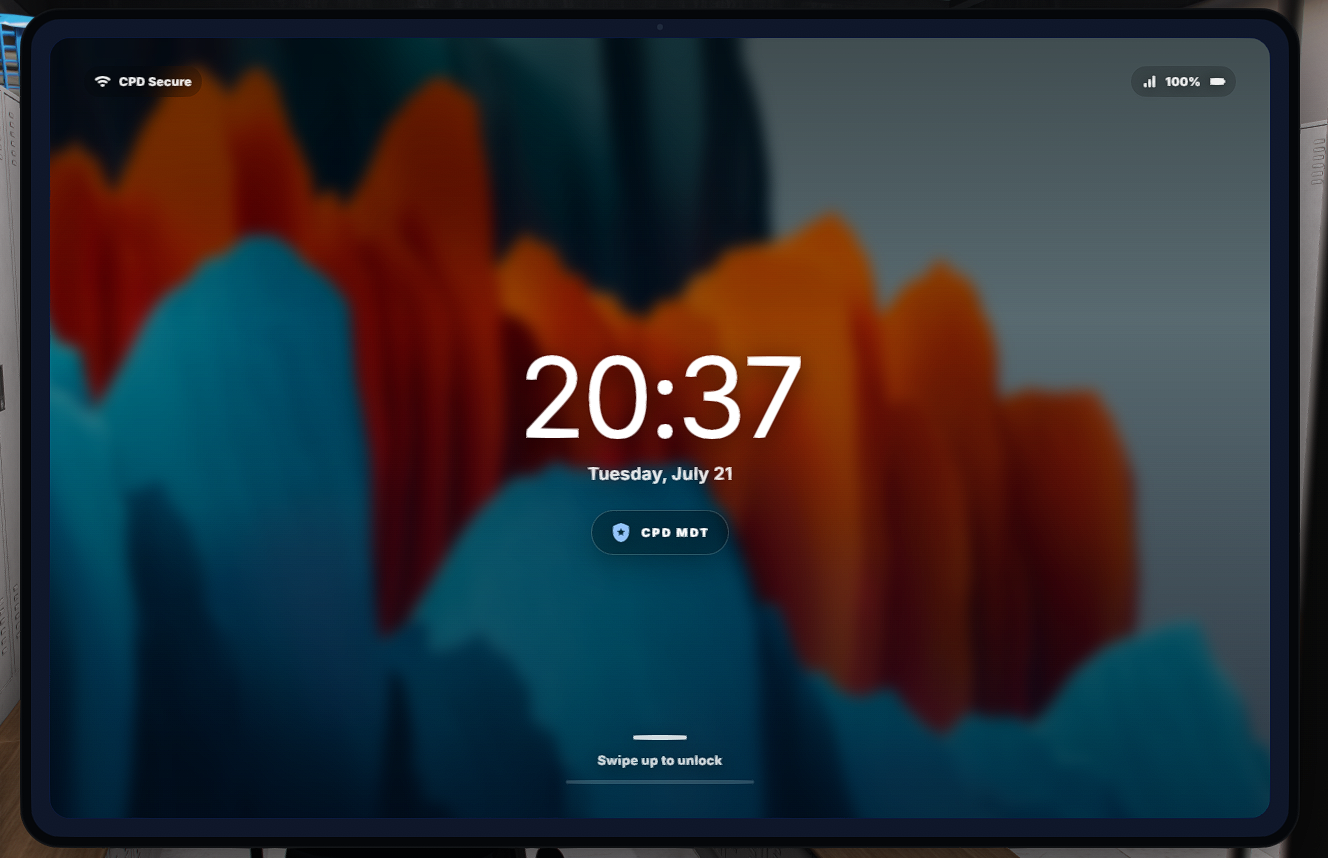
FivePD MDT POLICE TABLET ESX
Advanced Police MDT & Reports Tablet — ESX Legacy
Give your police department a complete, modern MDT system built for serious FiveM roleplay.
This tablet allows officers to manage reports, search suspects and vehicles, issue fines, store weapon evidence, select FivePD departments, manage command staff and much more—all from a clean, realistic tablet interface.
The resource is built for ESX Legacy and is highly configurable. Customers can change departments, jobs, permissions, branding, fines, cities, icons, database tables, integrations and nearly every visible setting through the included configuration files without editing the protected core code.
Main Features
Police Report System
Officers can create detailed incident and arrest reports containing:
-
Defendant information
-
Incident street, city and postal code
-
Arresting officer
-
Automatic server date and time
-
Criminal charges
-
Full arrest narrative
-
Officer department
-
Optional dossier photograph
Every report is permanently stored in the database and can be searched or opened later.
Authorized supervisors can:
-
Edit existing case files
-
Approve reports
-
Reject reports
-
Return reports to pending status
-
Archive or delete reports
-
View supervisor-created reports
Changes are synchronized for all connected officers.
Suspect Database
Search suspects by first name, last name or full name.
Depending on the configured integrations, officers can view information such as:
-
Full name
-
Gender
-
Date of birth
-
Age
-
Address
-
ID issue and expiration dates
-
Active warrant status
-
Driver’s licence status
-
Hunting licence status
-
Weapon licence status
-
Previous reports and criminal history
Suspect information can be transferred directly into a new report or fine, reducing repetitive typing during roleplay.
Vehicle Plate Lookup
Search registered vehicles by licence plate or automatically detect the plate of a nearby vehicle.
Vehicle records can display:
-
Licence plate
-
Registered owner
-
Current driver
-
Vehicle model or type
-
Vehicle colour
-
Insurance status
-
Registration status
-
Vehicle flags
Officers can immediately use the result to begin writing a vehicle-related ticket.
Fine and Citation System
Create citations using one or multiple configurable offences.
The system automatically:
-
Loads available fine types
-
Calculates the total fine amount
-
Records the defendant and issuing officer
-
Saves the date, time and location
-
Stores the selected offences
-
Adds the citation to the searchable fine history
Fine names, categories, prices and currency symbols can be managed through the config or loaded from the database.
Authorized staff can also remove incorrect fines.
Evidence Locker
Officers can place configured weapons into the evidence locker directly from their inventory.
The evidence system records:
-
Weapon type
-
Weapon label
-
Ammunition
-
Officer name
-
Officer job
-
Date and time
-
Recent locker activity
The tablet also provides searchable evidence records, total evidence statistics and a configurable ammunition refill function.
FivePD Integration
Optional FivePD support provides deeper integration between the MDT and FivePD.
Features include:
-
FivePD suspect ID-card information
-
FivePD ped searches
-
FivePD vehicle searches
-
Department selection
-
Department member counts
-
Join, change and leave department actions
-
Configurable department playtime requirements
-
Custom department names and icons
-
Department join and leave notifications
A prepared FivePD computer bridge is included.
Command Staff Management
Authorized supervisors can build and manage a command staff directory.
Each command profile can contain:
-
First name
-
Last name
-
Rank
-
District
-
Discord name
-
Display position
-
Profile image
Command members are saved in the database and displayed inside the tablet.
Staff Controls
A protected staff section allows authorized users to manage the tablet globally.
Staff can:
-
Enable a maintenance notification
-
Place the tablet into a restricted maintenance mode
-
Disable access during updates
-
Publish a server-wide staff announcement
-
Update or remove the active announcement
Permissions can be controlled using ACE permissions, Discord roles, ESX groups or job grades.
Personal Tablet Customization
Each officer can personalize their own tablet.
Customization options include:
-
Multiple application icon styles
-
Built-in tablet backgrounds
-
Uploading custom backgrounds
-
Saving personal backgrounds
-
Deleting saved backgrounds
-
Individual settings stored per player
Uploaded backgrounds are compressed and saved for reliable FiveM NUI performance.
Discord Logging
Optional Discord integration can log important activity such as:
-
Reports created
-
Reports edited
-
Report status changes
-
Reports deleted
-
Fines created
-
Fines deleted
-
Staff announcements
-
Maintenance changes
-
Report photograph uploads
Discord bot tokens and webhook URLs remain inside the server-only configuration and are never sent to players.
Fully Configurable
Customers can configure almost everything without touching the protected source:
-
Police jobs and minimum grades
-
ACE permissions
-
Discord role permissions
-
ESX group permissions
-
Departments and department IDs
-
Department icons and playtime requirements
-
Commands and keybinds
-
Fine names, categories and prices
-
Currency symbol
-
Cities and postal integration
-
Tablet branding and department name
-
Application names and icons
-
Tablet colours and interface text
-
Feature switches
-
Evidence weapon list
-
Database table names
-
Discord logging
-
Resource names
-
Input limits and event cooldowns
Every important setup location is clearly marked with EDIT HERE.
Security and Performance
The resource includes server-side protection designed for public servers:
-
Server-side job checks
-
Server-side management permissions
-
Input sanitization
-
Configurable text and upload limits
-
Event cooldowns
-
Protected staff actions
-
Server-side screenshot uploading
-
No Discord credentials exposed to clients
-
Automatic database-table creation
-
Configurable SQL table mapping
Requirements
Required:
-
ESX Legacy
-
oxmysql
-
Current FiveM server artifacts
Optional:
-
FivePD
-
screenshot-basic
-
nearest-postal
Installation
The package includes:
-
Configured FiveM resource
-
Public configuration file
-
Private server configuration file
-
Fresh-install SQL file
-
Automatic database-table creation option
-
FivePD bridge
-
Complete installation documentation
-
Asset Escrow-ready manifest
Upgrade your police roleplay with a complete MDT that combines reports, citations, evidence, database searches, department management and command tools in one professional tablet.
NO REFUNDS
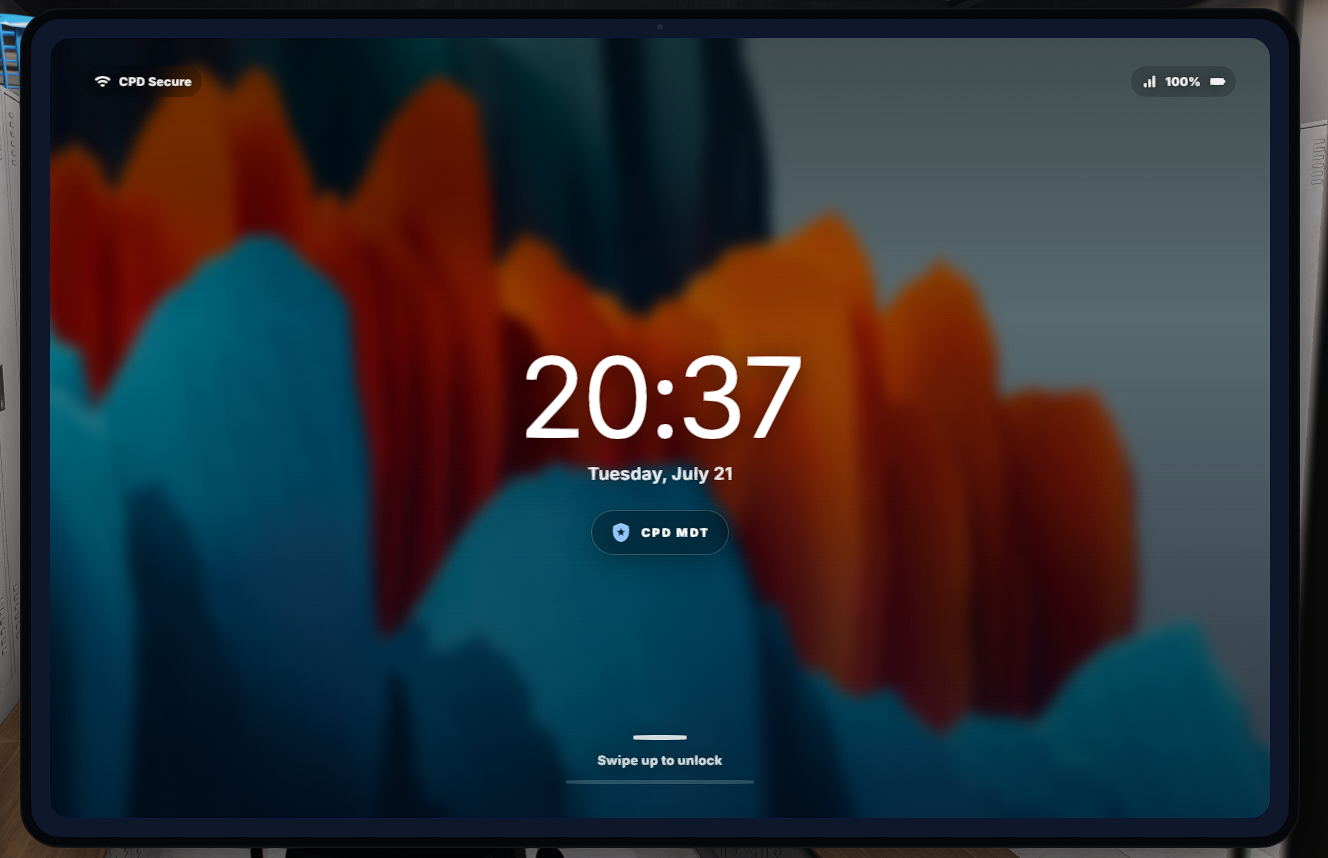
-- UNLOCKED -- FivePD MDT POLICE TABLET -- UNLOCKED -- ESX
Advanced Police MDT & Reports Tablet — ESX Legacy
Give your police department a complete, modern MDT system built for serious FiveM roleplay.
This tablet allows officers to manage reports, search suspects and vehicles, issue fines, store weapon evidence, select FivePD departments, manage command staff and much more—all from a clean, realistic tablet interface.
The resource is built for ESX Legacy and is highly configurable. Customers can change departments, jobs, permissions, branding, fines, cities, icons, database tables, integrations and nearly every visible setting through the included configuration files without editing the protected core code.
Main Features
Police Report System
Officers can create detailed incident and arrest reports containing:
-
Defendant information
-
Incident street, city and postal code
-
Arresting officer
-
Automatic server date and time
-
Criminal charges
-
Full arrest narrative
-
Officer department
-
Optional dossier photograph
Every report is permanently stored in the database and can be searched or opened later.
Authorized supervisors can:
-
Edit existing case files
-
Approve reports
-
Reject reports
-
Return reports to pending status
-
Archive or delete reports
-
View supervisor-created reports
Changes are synchronized for all connected officers.
Suspect Database
Search suspects by first name, last name or full name.
Depending on the configured integrations, officers can view information such as:
-
Full name
-
Gender
-
Date of birth
-
Age
-
Address
-
ID issue and expiration dates
-
Active warrant status
-
Driver’s licence status
-
Hunting licence status
-
Weapon licence status
-
Previous reports and criminal history
Suspect information can be transferred directly into a new report or fine, reducing repetitive typing during roleplay.
Vehicle Plate Lookup
Search registered vehicles by licence plate or automatically detect the plate of a nearby vehicle.
Vehicle records can display:
-
Licence plate
-
Registered owner
-
Current driver
-
Vehicle model or type
-
Vehicle colour
-
Insurance status
-
Registration status
-
Vehicle flags
Officers can immediately use the result to begin writing a vehicle-related ticket.
Fine and Citation System
Create citations using one or multiple configurable offences.
The system automatically:
-
Loads available fine types
-
Calculates the total fine amount
-
Records the defendant and issuing officer
-
Saves the date, time and location
-
Stores the selected offences
-
Adds the citation to the searchable fine history
Fine names, categories, prices and currency symbols can be managed through the config or loaded from the database.
Authorized staff can also remove incorrect fines.
Evidence Locker
Officers can place configured weapons into the evidence locker directly from their inventory.
The evidence system records:
-
Weapon type
-
Weapon label
-
Ammunition
-
Officer name
-
Officer job
-
Date and time
-
Recent locker activity
The tablet also provides searchable evidence records, total evidence statistics and a configurable ammunition refill function.
FivePD Integration
Optional FivePD support provides deeper integration between the MDT and FivePD.
Features include:
-
FivePD suspect ID-card information
-
FivePD ped searches
-
FivePD vehicle searches
-
Department selection
-
Department member counts
-
Join, change and leave department actions
-
Configurable department playtime requirements
-
Custom department names and icons
-
Department join and leave notifications
A prepared FivePD computer bridge is included.
Command Staff Management
Authorized supervisors can build and manage a command staff directory.
Each command profile can contain:
-
First name
-
Last name
-
Rank
-
District
-
Discord name
-
Display position
-
Profile image
Command members are saved in the database and displayed inside the tablet.
Staff Controls
A protected staff section allows authorized users to manage the tablet globally.
Staff can:
-
Enable a maintenance notification
-
Place the tablet into a restricted maintenance mode
-
Disable access during updates
-
Publish a server-wide staff announcement
-
Update or remove the active announcement
Permissions can be controlled using ACE permissions, Discord roles, ESX groups or job grades.
Personal Tablet Customization
Each officer can personalize their own tablet.
Customization options include:
-
Multiple application icon styles
-
Built-in tablet backgrounds
-
Uploading custom backgrounds
-
Saving personal backgrounds
-
Deleting saved backgrounds
-
Individual settings stored per player
Uploaded backgrounds are compressed and saved for reliable FiveM NUI performance.
Discord Logging
Optional Discord integration can log important activity such as:
-
Reports created
-
Reports edited
-
Report status changes
-
Reports deleted
-
Fines created
-
Fines deleted
-
Staff announcements
-
Maintenance changes
-
Report photograph uploads
Discord bot tokens and webhook URLs remain inside the server-only configuration and are never sent to players.
Fully Configurable
Customers can configure almost everything without touching the protected source:
-
Police jobs and minimum grades
-
ACE permissions
-
Discord role permissions
-
ESX group permissions
-
Departments and department IDs
-
Department icons and playtime requirements
-
Commands and keybinds
-
Fine names, categories and prices
-
Currency symbol
-
Cities and postal integration
-
Tablet branding and department name
-
Application names and icons
-
Tablet colours and interface text
-
Feature switches
-
Evidence weapon list
-
Database table names
-
Discord logging
-
Resource names
-
Input limits and event cooldowns
Every important setup location is clearly marked with EDIT HERE.
Security and Performance
The resource includes server-side protection designed for public servers:
-
Server-side job checks
-
Server-side management permissions
-
Input sanitization
-
Configurable text and upload limits
-
Event cooldowns
-
Protected staff actions
-
Server-side screenshot uploading
-
No Discord credentials exposed to clients
-
Automatic database-table creation
-
Configurable SQL table mapping
Requirements
Required:
-
ESX Legacy
-
oxmysql
-
Current FiveM server artifacts
Optional:
-
FivePD
-
screenshot-basic
-
nearest-postal
Installation
The package includes:
-
Configured FiveM resource
-
Public configuration file
-
Private server configuration file
-
Fresh-install SQL file
-
Automatic database-table creation option
-
FivePD bridge
-
Complete installation documentation
-
Asset Escrow-ready manifest
Upgrade your police roleplay with a complete MDT that combines reports, citations, evidence, database searches, department management and command tools in one professional tablet.
NO REFUNDS
JK_HUD ESX
JK Police HUD
Give your FiveM server a clean and professional police-style HUD with JK Police HUD.
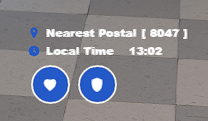
This lightweight HUD displays player health, armor, and the nearest postal in a modern circular interface. Players can reposition the HUD in-game, while server owners can easily adjust the main settings through the included configuration file.
Features
- Modern blue circular HUD design
- Displays player health
- Displays player armor
- Shows the nearest postal code
- Smooth and responsive interface
- In-game HUD positioning
- Configurable HUD scale and position
- Configurable commands
- Option to hide parts of the default GTA HUD
- Lightweight and optimized
- Standalone resource
- Easy installation
- Open configuration file
- Cfx Asset Escrow protected core files
Configuration
The included config.lua file allows server owners to customize the resource without editing protected files.
Available configuration options include:
- HUD position
- HUD scale
- Command names
- Postal display settings
- Default GTA HUD visibility
- Player movement settings
- Resource behavior
Installation
- Download the resource after purchasing.
- Place the resource folder inside your server's
resourcesdirectory. - Add the following line to your
server.cfg:
ensure jk_policehud
- Restart your server.
- Adjust the settings inside
config.luawhen required.
Requirements
- FiveM server
- Cfx.re account with entitlement to the resource
- No framework required
JK Police HUD is designed as a standalone resource and can be used with ESX, QBCore, Qbox, or custom frameworks.
Asset Escrow
The main Lua code is protected using the official Cfx Asset Escrow system.
The configuration file remains open so server owners can customize the resource.
Please note that FiveM does not currently support Asset Escrow protection for HTML, CSS, JavaScript, or JSON files.
Support
Support is available for installation problems and confirmed resource bugs.
Support does not include:
- Custom redesigns
- Framework conversions
- Installation of unrelated resources
- Changes to third-party scripts
- Custom features not included in the original product
Terms
- Redistribution or resale is not permitted.
- Sharing the resource with other individuals or servers is not permitted.
- The purchase is licensed to the purchasing Cfx.re account.
- Refunds are not provided for incorrect purchases or failure to read the product description.
- Editing or attempting to bypass the Asset Escrow protection is prohibited.
Credits
Created and developed by Dutchxarms.
NO REFUNDS
JK_COINSHOP -- Coins every 10 minutes -- ESX
CPD COINSHOP
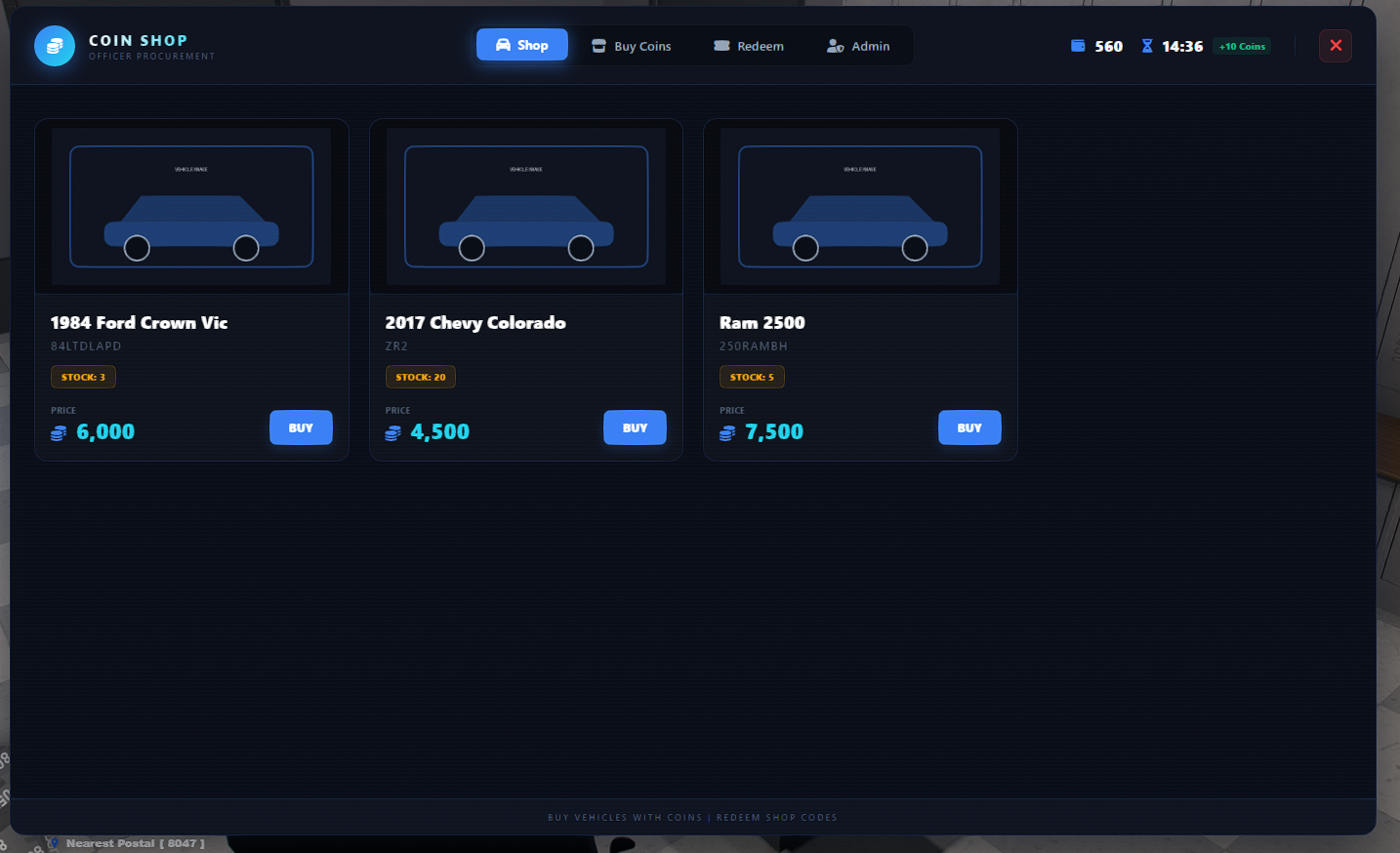
Give your FiveM server a modern and configurable vehicle coin shop.
CPD Coinshop allows players to earn or receive coins, purchase vehicles, redeem promotional codes and open configured Tebex store packages from a clean in-game interface.
FEATURES
• Modern responsive NUI
• ESX and oxmysql support
• Configurable branding, colors, size and text
• Configurable commands and keybind
• Configurable vehicles, prices, images and garage delivery
• Limited and unlimited vehicle stock
• Playtime coin rewards
• Promotional redeem codes
• Optional one-use-per-player codes
• In-game administrator panel
• ESX group and ACE permissions
• External Tebex package links
• Discord webhook logs
• Console/offline coin delivery command
• Server exports for integrations
• Automatic coinshop database setup
• Server-side purchase validation
• Cfx Asset Escrow protected Lua core
• Open config.lua
REQUIREMENTS
• FiveM
• ESX
• oxmysql
• Compatible owned_vehicles garage table
CONFIGURATION
Most settings can be changed in config.lua, including:
• Shop name and subtitle
• Interface colors and size
• Commands and keybind
• Currency name
• Reward amount and timing
• Notification provider
• Admin groups and ACE permission
• Vehicle list, prices and stock
• Garage and database columns
• Plate format
• Store package links
• Redeem-code rules
• Logging and security limits
SUPPORT
Documentation for installation, configuration, commands, exports and common database layouts is included.
CREDITS
Created and developed by Dutchxarms.
NO REFUNDS